
📅 Last updated: June 8, 2026 | Originally published: May 12, 2026
📅 Last updated: May 2026 | 🇺🇸 Written for the US market
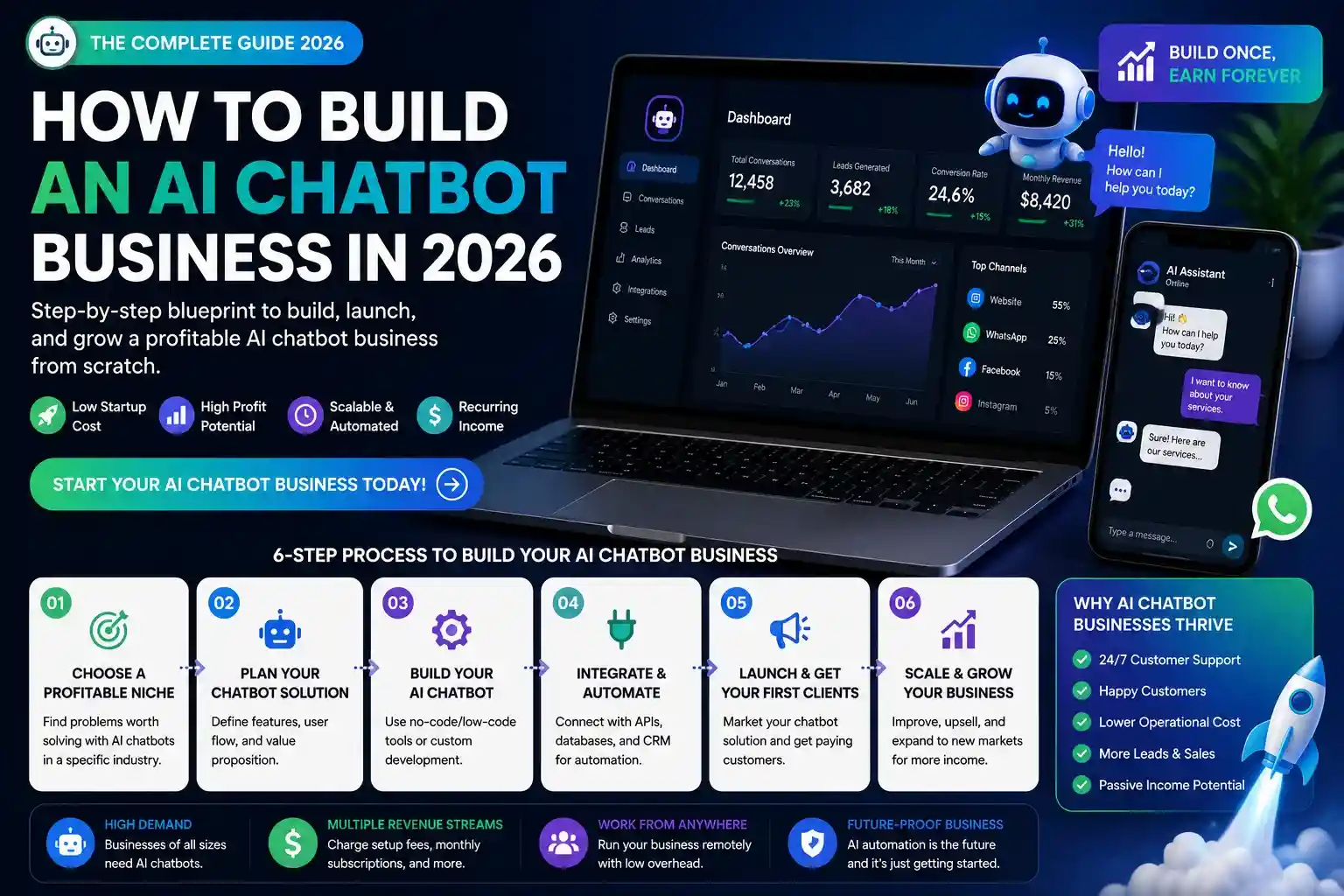
An AI chatbot on your business website handles customer questions 24/7, qualifies leads automatically, books appointments, and reduces support volume by 40-60% – without hiring additional staff. In 2026, building one no longer requires a developer. No-code platforms let a non-technical business owner deploy a fully functional AI chatbot in under an hour, trained on their own content, for $20-$97/month.
FREE DOWNLOAD
The 2026 AI Toolkit: 30 Free Tools to Start Earning Online
Get the exact tools 6-figure AI solopreneurs use - curated, ranked, and free to start.
No spam. Unsubscribe anytime. Sent to 4,200+ US solopreneurs.
This guide covers how to build an AI chatbot for your business step by step: choosing the right platform, training it on your content, deploying it to your site, and connecting it to your existing tools.
What is an AI chatbot for business? A business AI chatbot is a software application that uses large language models (LLMs) to conduct natural language conversations with website visitors or customers, answering questions, collecting lead information, booking appointments, or routing support requests – without human intervention. In 2026, the two main types are: (1) retrieval-augmented generation (RAG) chatbots, which are trained on your specific business content (FAQs, product pages, knowledge base) and answer questions grounded in that data; and (2) general LLM-powered chatbots that use models like GPT-4o without specific business training. For most small businesses, RAG-based chatbots are more reliable – they stay on-topic and cite accurate business-specific information rather than generating plausible but incorrect answers. Top no-code platforms for building business AI chatbots in 2026 include Tidio AI, Chatbase, Botpress, and Intercom Fin, with monthly costs ranging from $0 to $97 for solo and small business deployments.
What Can a Business AI Chatbot Actually Do?
Before choosing a platform, define what your chatbot needs to accomplish. The most common business use cases:
| Use Case | What It Does | Business Impact |
| Customer support | Answers FAQs, order status, returns, troubleshooting | 40-60% reduction in support tickets |
| Lead qualification | Asks qualifying questions, captures name/email/budget | 3-5x more qualified leads vs. contact forms |
| Appointment booking | Integrates with Calendly or Google Calendar, books meetings | Eliminates phone tag, 24/7 booking availability |
| Product recommendation | Asks about needs, recommends matching products | 12-18% increase in average order value (e-commerce) |
| Onboarding | Guides new customers through setup steps, answers how-to questions | Reduces churn in SaaS and service businesses |
| Internal HR / IT helpdesk | Answers employee policy questions, IT troubleshooting | Reduces internal support burden by 30-50% |
Step 1: Choose the Right Chatbot Platform
Chatbase – Best for Fast Deployment
Price: Free (20 messages/month) / Hobby $19/month / Standard $49/month / Unlimited $99/month
Chatbase is the fastest way to deploy a custom AI chatbot trained on your content. Upload your website URL, PDF documents, or paste text directly – Chatbase indexes it and creates a GPT-4o powered chatbot in under 5 minutes. Embed it on your website with a single script tag.
Best for: Small businesses, coaches, consultants, and SaaS companies wanting a knowledge-base chatbot without any technical setup. The $19/month Hobby plan covers most solo business needs (2,000 messages/month, 1 chatbot, custom branding removal).
Tidio AI – Best for E-Commerce and Live Chat Hybrid
Price: Free / Starter $29/month / Growth $59/month / Plus $749/month
Tidio combines AI chatbot with live chat handoff – when the AI can’t answer, it escalates to a human agent in the same interface. Its Lyro AI (powered by Claude) is specifically designed for e-commerce: trained on your product catalog and FAQ, it handles order inquiries, product recommendations, and return requests. Native integrations with Shopify, WooCommerce, and BigCommerce make setup under 30 minutes for e-commerce stores.
Best for: E-commerce businesses running Shopify or WooCommerce, service businesses with part-time support staff who need human-AI handoff.
Botpress – Best for Custom Logic and Workflows
Price: Free (up to 5 bots, 2,000 messages/month) / Team $445/month / Enterprise custom
Botpress is the most powerful no-code chatbot builder for businesses needing custom conversation flows, complex integrations, and multi-step workflows. You can build branching conversation trees, connect to your CRM (HubSpot, Salesforce), trigger Zapier automations, integrate with WhatsApp and Slack, and handle multi-language conversations – all without writing code in its visual flow editor.
Best for: Businesses with complex support workflows, multi-step lead qualification processes, or multi-channel deployment needs (web + WhatsApp + Slack).
Intercom Fin – Best for Growing SaaS and Tech Companies
Price: $39/month base + $0.99 per Fin AI resolution
Intercom Fin is GPT-4 powered and trained specifically on Intercom’s decade of customer conversation data. It handles complex multi-turn support conversations with exceptional accuracy, escalates appropriately, and integrates natively into Intercom’s full customer messaging platform. At $0.99 per AI resolution, costs scale with usage – expensive at high volume but cost-effective for businesses currently paying human agents $3-$8 per support ticket.
Best for: SaaS companies already on Intercom, high-volume support operations, businesses that need enterprise-grade conversation accuracy.
Step 2: Train Your Chatbot on Your Business Content
A chatbot is only as good as its training data. Regardless of platform, you need to systematically feed it the content it needs to answer questions accurately.
What to Include in Your Training Data
- FAQ document: Write 30-50 common questions with specific, accurate answers. This is the single most impactful training input – don’t skip it
- Product/service pages: All pricing, features, and specifications. Keep these updated every time you change pricing or services
- Policies: Refund policy, shipping policy, cancellation terms, privacy policy
- Process documentation: How onboarding works, what to expect after purchase, common troubleshooting steps
- Blog/knowledge base: For knowledge-heavy businesses, indexing your existing content base dramatically expands what the chatbot can answer
What NOT to Include
- Internal documents with sensitive employee or financial information
- Draft or outdated content – chatbots will cite it as current
- Content from competitors or third parties you don’t have rights to use
How to train an AI chatbot on your business content: Training a no-code business AI chatbot in 2026 follows a three-step process: (1) Content preparation – compile FAQs (30-50 Q&A pairs minimum), product/service descriptions, policies, and process documentation into clean text or PDF format; (2) Ingestion – upload documents or paste URLs into your chosen platform (Chatbase, Tidio, or Botpress), which indexes the content using RAG (retrieval-augmented generation) to make it searchable by the AI during conversations; (3) Testing and refinement – conduct 20-30 test conversations covering likely customer questions, identify gaps where the chatbot gives wrong or vague answers, and add specific training content to fill those gaps. Most businesses need 2-3 rounds of testing and refinement before deploying publicly. After launch, review chatbot conversation logs weekly for the first month to catch new question types and continuously improve response quality.
Step 3: Configure Your Chatbot’s Behavior
Raw AI capability is only part of the setup. Configure these settings before going live:
System Prompt (Persona and Constraints)
Every platform lets you write a system prompt – instructions the AI follows in every conversation. Write one that specifies:
- Persona: “You are [Name], a customer support assistant for [Business Name]. You are friendly, concise, and always accurate.”
- Scope: “Only answer questions related to [Business Name]’s products and services. For questions outside this scope, say ‘I’m not able to help with that – would you like to connect with our team?'”
- Tone: Match your brand voice – formal for professional services, casual for consumer brands
- Escalation trigger: “If a customer expresses frustration or asks to speak with a human, immediately offer to connect them with our team at [email/phone]”
Lead Capture Configuration
For lead generation chatbots: configure the bot to ask for name and email after the second or third message – not immediately on page load, which feels aggressive and reduces engagement. Integrate with your email platform (Mailchimp, ConvertKit, ActiveCampaign) via Zapier or native integration to automatically add captured leads to your list.
Human Handoff Settings
Define clear escalation rules: which keywords trigger immediate human escalation (“cancel,” “refund,” “lawyer,” “complaint”), business hours for live agent availability, and the response when agents are offline (“Our team will respond within [X hours] – your message has been saved”).
Step 4: Deploy to Your Website
Embedding Options
Most platforms provide three deployment options:
- Chat bubble (most common): A floating button in the bottom-right corner of your site. Paste one script tag into your site’s header. Works on WordPress, Shopify, Webflow, and any HTML site
- Inline embed: Embed the chat interface directly into a specific page section – useful for dedicated support pages or landing pages
- Standalone page: Deploy as a full-page chat interface at a dedicated URL (e.g., yourbusiness.com/chat) – useful for linking from emails or ads
WordPress Installation
For WordPress sites, adding the chat widget requires pasting the embed script into your theme’s header (Appearance ? Theme Editor ? header.php) or using a plugin like Insert Headers and Footers to add the script without editing theme files. Both methods take under 5 minutes and don’t require developer access.
Step 5: Measure Performance and Improve
Key metrics to track in your chatbot dashboard after launch:
- Resolution rate: % of conversations resolved by AI without human intervention. Target: 60%+ after 30 days
- Escalation rate: % of conversations handed to a human. High escalation means training gaps
- Lead capture rate: % of conversations that capture a name/email. Target: 15-25% for lead gen chatbots
- CSAT score: Customer satisfaction after chatbot interactions. Most platforms include a thumbs up/down rating. Target: 75%+
- Top unanswered questions: Questions the chatbot couldn’t answer – your weekly training improvement list
Cost Comparison: AI Chatbot vs. Human Support
| Option | Monthly Cost | Availability | Capacity |
| Part-time support VA (US) | $800-$2,000 | Business hours only | ~200 tickets/month |
| Offshore support VA | $300-$600 | Business hours (their timezone) | ~300 tickets/month |
| Chatbase Standard | $49/month | 24/7/365 | 5,000 messages/month |
| Tidio Growth | $59/month | 24/7 AI + business hours human | Unlimited AI + 3 human agents |
| Intercom Fin | $39 + $0.99/resolution | 24/7/365 | Unlimited (pay per resolution) |
For most small businesses handling under 500 customer questions per month, an AI chatbot at $19-$59/month replaces the need for a support hire – while providing better coverage (24/7 vs. business hours) and consistent response quality.
Frequently Asked Questions
Do I need to know how to code to build an AI chatbot?
No. Chatbase, Tidio, and Botpress all have no-code interfaces – upload your content, configure settings, and paste one embed script. The only step that touches code is adding the chat widget script to your website header, which takes 3 minutes on WordPress or Shopify. If you’re not comfortable with that, platforms like Tidio offer WordPress plugins that handle the installation entirely through the admin panel.
How accurate are business AI chatbots?
RAG-based chatbots trained on your specific business content (FAQs, product pages, policies) achieve 80-90% accuracy on common questions after proper training. Accuracy drops on edge cases, unusual phrasings, or questions outside the training scope – which is why escalation to human agents remains important. General-purpose chatbots without business-specific training are significantly less accurate for company-specific questions and should not be used without content training.
What’s the best free AI chatbot for a small business?
Chatbase’s free plan (20 messages/month) is enough to test whether a chatbot works for your use case, but not sufficient for real business deployment. Tidio’s free plan includes basic chatbot features with up to 50 AI conversations/month – adequate for very small sites with low traffic. Botpress’s free tier (2,000 messages/month, up to 5 bots) is the most generous free option for small businesses needing multi-channel deployment. For serious business use, expect to spend $19-$59/month.
Can an AI chatbot integrate with my CRM?
Yes. Botpress, Tidio, and Intercom all have native CRM integrations with HubSpot and Salesforce. Chatbase connects to CRMs via Zapier. When a lead provides their name and email in the chatbot, that information can be automatically sent to your CRM, added to an email sequence, or trigger a sales team notification – without any manual data transfer.
Key Takeaways
- A no-code AI chatbot costs $19-$59/month and replaces the need for basic support staff for businesses handling under 500 inquiries/month
- Chatbase is the fastest to deploy – 5 minutes from signup to live chatbot, no technical knowledge required
- Tidio is best for e-commerce (Shopify/WooCommerce) with human-AI handoff built in
- Botpress is best for complex workflows, multi-channel deployment, and CRM integration
- Training quality determines chatbot accuracy – spend time on your FAQ document before worrying about which platform to use
- After launch, review conversation logs weekly for the first month and add training content for any unanswered questions
- For more ways to use AI to grow your business, see our guides on building a Micro-SaaS with AI and AI passive income strategies
🏗 Complete AI Business Models Guide – All Articles
Build a scalable AI business with these guides:
Voir aussi : AI Side Hustles — The Complete Guide →
Continue Reading
 AI Automation Systems for Solopreneurs
Zapier vs Make vs n8n 2026: Which AI Automation Tool Should You Learn?
 AI Automation Systems for Solopreneurs
ROI and Cost-Benefit Analysis of AI Automation Systems
 AI Automation Systems for Solopreneurs
AI Automation for Customer Support and Sales
 AI Automation Systems for Solopreneurs
AI Automation for Marketing: Email, Social Media & Content Creation
Written by
George - Founder, Scalopa
George has been building AI-powered income systems since 2023. He tests AI tools hands-on and tracks real income data from 100+ US solopreneurs. All guides on Scalopa are based on direct testing or verified community data.