
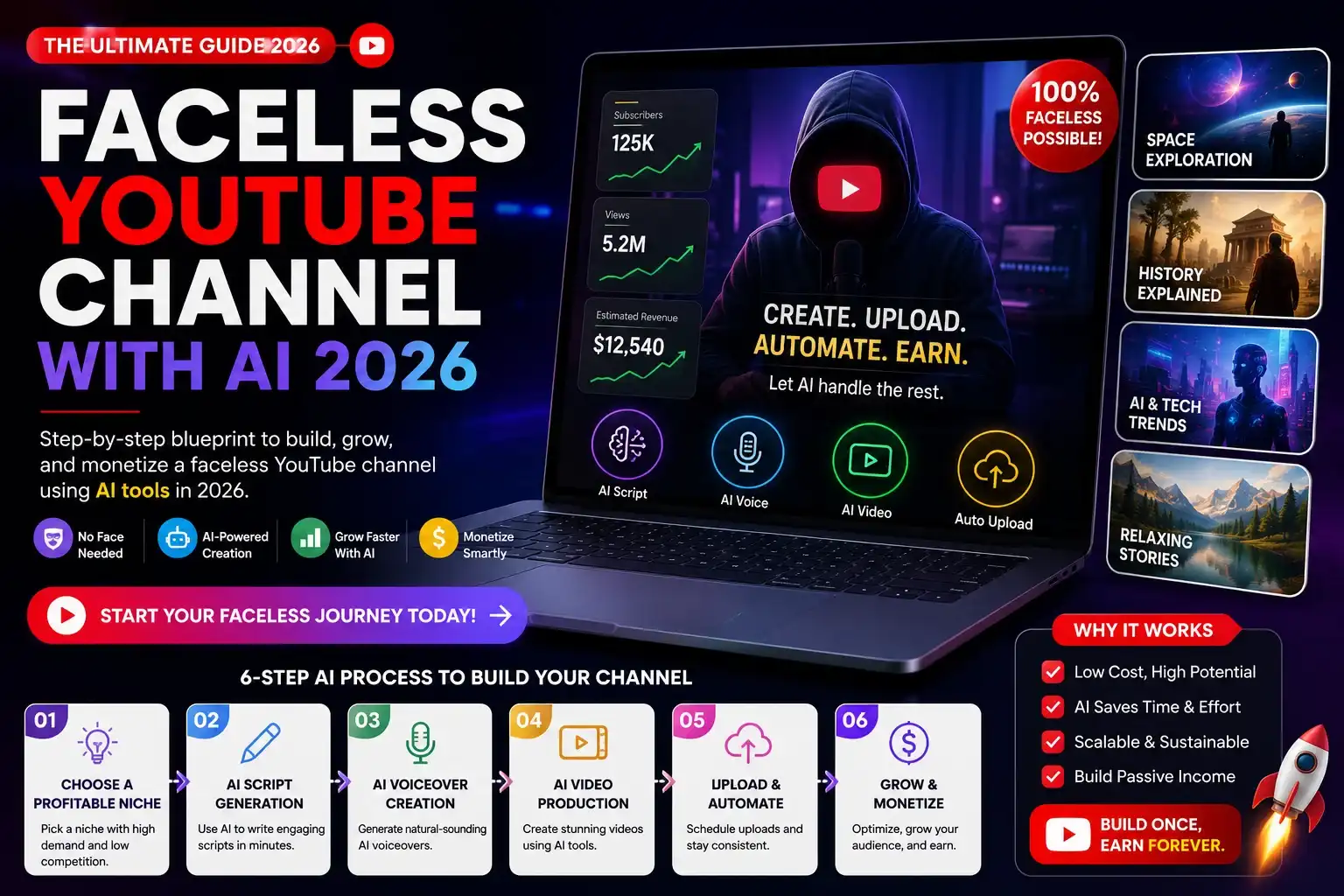
Faceless YouTube channels are generating $2,000–$15,000/month in 2026 — and AI has made it possible to run one without appearing on camera, without a professional microphone, and without video editing experience. The entire production stack — script, voiceover, visuals, captions, and thumbnails — can be handled by AI tools at a fraction of what a traditional YouTube creator spends.
This guide walks through every step: choosing a profitable niche, generating scripts with AI, creating videos with text-to-video tools, publishing consistently, and monetizing through AdSense, affiliate marketing, and digital products.
What is a faceless YouTube channel? A faceless YouTube channel is a channel that publishes video content without the creator appearing on camera. Content is typically narrated via AI voiceover or text-to-speech, with visuals generated by AI video tools, stock footage, or animated presentations. In 2026, the most profitable faceless YouTube niches include personal finance, AI tools and tutorials, productivity, true crime narration, history, and motivational content. AI tools now handle 70–90% of the production pipeline: ChatGPT or Claude for scripts, ElevenLabs or Murf for voiceover, Pictory or InVideo AI for video assembly, and Midjourney or DALL-E for thumbnails. A monetized faceless channel in a medium-competition niche can reach YouTube Partner Program eligibility (1,000 subscribers, 4,000 watch hours) within 3–6 months of consistent publishing at 2–4 videos per week, generating $500–$5,000/month from AdSense alone on 100,000–500,000 monthly views.
Step 1: Choose a Profitable Faceless Niche
Niche selection determines your CPM (cost per thousand views), competition level, and content volume potential. The three factors that matter: advertiser demand (high CPM), content longevity (evergreen vs. trending), and your ability to produce consistently without running out of topics.
| Niche | Average CPM | Competition | Content Volume | Recommended for |
| Personal finance | $12–$25 | High | Unlimited | Research-comfortable creators |
| AI tools and tutorials | $8–$18 | Medium | Unlimited (fast-moving) | Tech-interested creators |
| Productivity / self-improvement | $6–$14 | High | High | Beginners, low production barrier |
| History / documentary | $4–$10 | Medium | Unlimited | Script-heavy, research-oriented |
| True crime narration | $3–$8 | High | Unlimited | Storytelling-focused creators |
| Health and wellness | $8–$20 | High | High | Niche-down essential (avoid YMYL issues) |
| Business / side hustles | $10–$22 | Medium-high | High | Most monetizable long-term |
Best starting niche in 2026: AI tools and tutorials. CPM is strong, the niche is growing faster than creator supply, and every week produces new tools to cover — you’ll never run out of content ideas. Business and side hustles is the highest long-term earning niche for affiliate marketing integration.
Step 2: Generate Your Script with AI
The Script Formula That Works
A faceless YouTube script follows a specific structure tuned for retention:
- Hook (0–15 seconds): State the outcome or reveal a surprising fact before introducing yourself or your channel. Never start with “Welcome back.” Example: “Most people don’t know this AI tool exists — and it’s completely free.”
- Problem statement (15–45 seconds): Confirm the viewer’s pain point. Make them feel understood before you solve anything
- Preview (45–60 seconds): Tell them exactly what they’ll learn. YouTube’s algorithm rewards watch time — setting clear expectations keeps viewers watching
- Main content (3–8 minutes): Deliver the promised value in numbered steps or organized sections. Shorter sentences, one idea per paragraph, frequent pattern interrupts
- Call to action (final 30 seconds): One clear ask — subscribe, comment, or watch the next video. Don’t stack multiple CTAs
ChatGPT Script Prompt Template
Use this prompt structure with ChatGPT Plus or Claude:
Write a YouTube script for a faceless channel in the [niche] niche. Topic: [specific title]. Target audience: [audience description]. Length: [target word count for X minutes — ~130 words/minute]. Include: hook, problem statement, 5 numbered main points with specific examples, and a single call to action to subscribe. Tone: [conversational/authoritative/friendly]. Do not use filler phrases like “In this video” or “As I mentioned.” Format for voiceover — short sentences, no bullet points in the script itself.
A well-prompted ChatGPT session produces a complete 800–1,200 word script in under 90 seconds. Expect to spend 10–15 minutes refining — adding specific data points, removing generic claims, and tightening the hook.
Step 3: Generate Voiceover with AI
AI voiceover quality in 2026 is indistinguishable from human narration in most use cases. The top tools:
| Tool | Price | Quality | Best For |
| ElevenLabs | Free / $5–$99/month | ⭐⭐⭐⭐⭐ Best-in-class | All niches, voice cloning, emotional range |
| Murf AI | $29–$99/month | ⭐⭐⭐⭐ | Business and professional niches |
| Descript | $12–$24/month | ⭐⭐⭐⭐ | Creators who edit audio in the same tool |
| Play.ht | $31–$99/month | ⭐⭐⭐⭐ | High-volume output, API access |
| TikTok/CapCut TTS | Free | ⭐⭐⭐ | Short-form only, recognizable voices |
Recommended setup: ElevenLabs Starter ($5/month — 30,000 characters) is sufficient for 3–4 videos per month. The Creator plan ($22/month) unlocks 100,000 characters and removes watermarks — adequate for daily publishing. Choose a consistent voice across all videos — brand consistency matters even without a face.
Step 4: Create the Video with AI Tools
AI video creation pipeline for faceless YouTube channels in 2026: The standard production workflow for a faceless YouTube channel using AI consists of four stages: (1) Script generation via ChatGPT or Claude (90 seconds for 1,000 words); (2) Voiceover creation via ElevenLabs or Murf AI (2–3 minutes for a 10-minute video); (3) Video assembly via Pictory AI or InVideo AI, which automatically match stock footage or AI-generated visuals to script segments and sync with the voiceover (10–20 minutes including review); (4) Thumbnail creation via Midjourney or Canva AI (5–10 minutes). Total production time using this AI pipeline: 30–45 minutes per 8–10 minute video, compared to 4–8 hours for traditional screen-recorded or talking-head content. At 3 videos per week, this pipeline produces 12 videos per month at approximately 10–15 hours of total creator time.
Text-to-Video Tools for Faceless Channels
Pictory AI ($19–$99/month): Paste your script and Pictory automatically selects relevant stock footage, syncs it to your voiceover, adds captions, and outputs a finished video. Best for information-focused niches (finance, productivity, business). The $19/month plan handles 3 videos/month; the Standard plan ($39/month) handles 10+.
InVideo AI ($20–$48/month): Similar to Pictory with a more AI-driven prompt-to-video workflow — describe the video you want and InVideo generates a complete draft including footage selection, voiceover, and music. Strong for news-style and listicle content. The $20/month plan includes 10 video exports.
HeyGen ($24–$120/month): If you want a virtual human presenter (an AI avatar that lip-syncs to your voiceover), HeyGen is the leading tool. Creates the appearance of a talking-head video without any on-camera presence. Higher perceived production value but higher cost. Best for educational and tutorial channels where presenter trust matters.
CapCut (free): For creators who prefer more manual control, CapCut’s AI features (auto-caption, script-to-video, background removal, AI avatars) handle the heavy lifting at zero cost. The learning curve is higher than Pictory but the output control is better. Widely used by high-volume faceless creators in 2026.
Thumbnail Creation
Thumbnails drive click-through rate — the single biggest controllable variable in YouTube growth. Use Midjourney or DALL-E for AI-generated background imagery, then overlay text and design elements in Canva. Key thumbnail principles for faceless channels: bold contrasting colors, 2–4 words maximum, readable at thumbnail size, consistent visual style across all videos.
Step 5: Publish and Optimize for YouTube SEO
Keyword Research for YouTube
Use TubeBuddy or VidIQ (both have free tiers) to find keywords with: search volume above 1,000/month, competition score below 40/100, and a top result with under 100K views (indicating the algorithm hasn’t fully surfaced a dominant video yet). Target these “keyword gaps” in your first 50 videos — competing against established channels on high-competition keywords is a losing strategy for a new channel.
Upload Checklist for Every Video
- Title: Primary keyword in the first 40 characters, benefit or number hook
- Description: First 150 characters matter (visible before “Show more”). Include keyword, channel description, links to related videos
- Tags: 5–8 tags — primary keyword, 2–3 variations, 1–2 broad category tags
- Thumbnail: Custom thumbnail, never auto-generated
- End screen: 2 video recommendations + subscribe button (added in the last 20 seconds)
- Chapters: Add timestamps in the description for videos over 5 minutes — improves search visibility
- Publish time: 2–4 PM Thursday–Saturday in your target audience’s time zone (US Eastern if targeting US)
Step 6: Monetization Strategy
YouTube Partner Program (AdSense)
Requirements: 1,000 subscribers and 4,000 watch hours in the past 12 months. At 2–3 videos per week in a medium-competition niche, expect 3–6 months to reach this threshold. Average CPM for English-language channels ranges from $3–$25 depending on niche, with Q4 (October–December) delivering 2–3x higher CPM than Q1–Q2 due to advertiser spending cycles.
Affiliate Marketing (Higher Income Ceiling)
Affiliate links in video descriptions convert 2–5% of viewers who click through. High-converting affiliate programs for faceless AI channels:
- AI tool affiliate programs: Jasper ($27/month recurring per referral), ElevenLabs (30% recurring), Pictory (20% recurring)
- Software tools: NordVPN ($40–$100/sale), Surfshark, ExpressVPN — relevant to privacy/security content
- Amazon Associates: 1–10% commission — works for review-style content recommending physical products
A channel with 10,000 monthly views and a single well-placed affiliate link typically earns $100–$400/month from affiliate conversions — often more than AdSense at that view count.
Digital Products (Highest Margin)
Once you have an engaged audience, sell your own digital products: prompt packs, video templates, Notion dashboards, online courses, or community access. Margins are 85–95% vs. 45–55% for affiliate commissions. Channels with 5,000–10,000 subscribers in the AI/productivity niche routinely generate $1,000–$5,000/month from a $27–$97 digital product with minimal advertising spend.
Realistic Income Timeline
| Month | Videos Published | Subscribers | Monthly Views | Estimated Revenue |
| 1–2 | 8–16 | 0–100 | 500–2,000 | $0 (pre-monetization) |
| 3–4 | 24–32 | 100–500 | 3,000–15,000 | $0–$50 (affiliate only) |
| 5–6 | 40–52 | 500–2,000 | 15,000–50,000 | $100–$600 (AdSense + affiliate) |
| 9–12 | 70–100 | 3,000–10,000 | 80,000–250,000 | $800–$4,000/month |
Frequently Asked Questions
How long does it take to make money on a faceless YouTube channel?
Most faceless channels reach YouTube Partner Program eligibility (the minimum for AdSense) within 4–7 months at 2–3 videos per week. Affiliate income starts earlier — you can add affiliate links from day one and earn commissions before reaching 1,000 subscribers. Meaningful income ($500+/month) typically takes 6–9 months of consistent publishing in a medium-competition niche.
Is it against YouTube’s terms to use AI voiceover and AI-generated content?
No. YouTube’s policies (updated 2023) permit AI-generated content including AI voiceover, AI visuals, and AI-written scripts. YouTube does require disclosure when “realistic” AI-generated video or audio might be mistaken for real people or real events — use the “Contains altered or synthetic content” label in YouTube Studio for any content featuring realistic AI avatars or voice cloning of real people. Standard AI text-to-speech and scripted content needs no special disclosure.
What’s the cheapest way to start a faceless YouTube channel with AI?
Minimum viable budget: ChatGPT Free (scripting), ElevenLabs Free (10,000 characters/month for 1–2 videos), CapCut Free (video assembly), and Canva Free (thumbnails). Total cost: $0 to start. This stack limits you to approximately 4–8 videos/month at the free tier caps. For serious growth at 3+ videos per week, upgrade to ChatGPT Plus ($20/month) and ElevenLabs Starter ($5/month) — $25/month total for a complete AI production pipeline.
Which faceless YouTube niche makes the most money?
Personal finance delivers the highest AdSense CPM ($12–$25) and affiliate commissions (financial products pay $50–$300 per referral). However, personal finance YouTube is competitive and regulated — YMYL (Your Money or Your Life) content is held to higher standards. For new creators in 2026, AI tools and tutorials offer the best balance of high CPM ($8–$18), growing demand, low regulatory risk, and unlimited topic supply as new AI tools launch weekly.
Key Takeaways
- The full AI production pipeline (script → voiceover → video → thumbnail) takes 30–45 minutes per video vs. 4–8 hours for traditional methods
- Best 2026 niche for new faceless channels: AI tools and tutorials — growing faster than creator supply, strong CPM, unlimited content
- Minimum viable budget: $25/month (ChatGPT Plus + ElevenLabs Starter) — everything else has a usable free tier
- Affiliate marketing earns more than AdSense at low view counts — add affiliate links from day one
- Consistency beats perfection: 3 videos per week at average quality outperforms 1 video per week at perfect quality
- For more AI income strategies, see our guides on AI passive income and AI side hustles for US solopreneurs