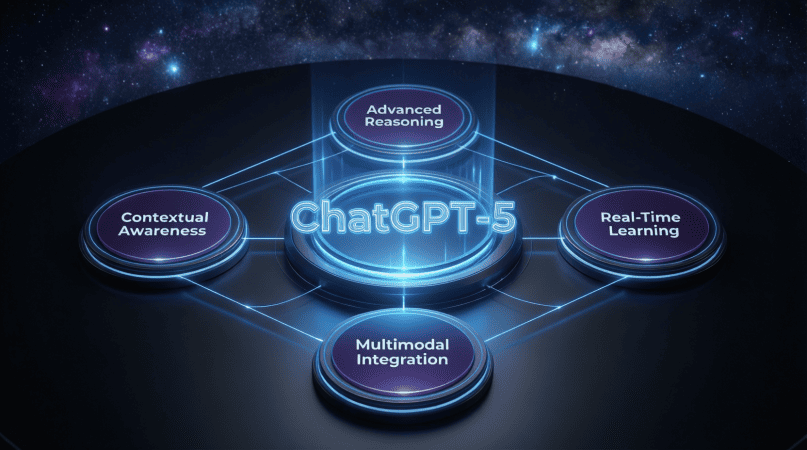
User Experience and Feedback on ChatGPT-5
Hey there, fellow tech enthusiasts! If you’ve been keeping an eye on advancements in artificial intelligence, you’ve likely heard the buzz surrounding ChatGPT-5. As someone who’s dabbled in competitive gaming and tech, I’ve always had a keen interest in how AI can transform our experiences—not just in gaming, but across various fields. In this article, we’ll dive into the user experience and feedback from ChatGPT-5, exploring what makes it tick and how it stacks up against its predecessors.
What is ChatGPT-5?
ChatGPT-5 is the latest iteration in OpenAI’s series of conversational agents. Building on the capabilities of ChatGPT-4, it promises to deliver even more fluid interactions, improved understanding of context, and robust problem-solving abilities. Whether you’re using it for casual chats, educational purposes, or even productivity, this version aims to enhance user experience in ways that users have longed for.
Why User Experience Matters
Before we dive into the specifics, let’s talk about why user experience (UX) is so important in the realm of AI. Good UX can:
- Increase user engagement
- Enhance satisfaction and retention
- Facilitate intuitive interactions
- Encourage creativity and exploration
With AI tools like ChatGPT-5, a seamless user experience can make the difference between a helpful assistant and a frustrating tool. So, let’s see how ChatGPT-5 tackles this challenge!
Key Features of ChatGPT-5
Now that we’ve established the importance of UX, let’s look at some standout features of ChatGPT-5 that contribute to an enhanced user experience:
- Improved Contextual Understanding: ChatGPT-5 has a better grasp of context and can maintain the thread of conversation over longer exchanges. It feels more like chatting with a human who remembers what you said earlier.
- Natural Language Processing: Thanks to advancements in NLP, the responses feel more natural and articulate. You might even forget you’re talking to a machine!
- Customizable Personas: Users can tweak the persona of the AI to match their preferences, whether they want it to be professional, casual, or even humorous.
- Integration with Other Tools: ChatGPT-5 can integrate with various platforms, making it a versatile assistant whether you’re in a gaming session or working on a project.
Step-by-Step Guide to Getting Started with ChatGPT-5
Ready to give ChatGPT-5 a whirl? Here’s a simple step-by-step guide to get you started:
- Sign Up: If you don’t already have an OpenAI account, head over to their website and create one.
- Access ChatGPT-5: Once logged in, navigate to the ChatGPT-5 section. Depending on your account type, you might have access to different features.
- Familiarize Yourself: Spend some time getting to know how it responds. Ask it different questions, try out various commands, and test its contextual understanding.
- Customize Your Experience: Experiment with the customizable personas. Find the style that suits your needs best.
- Provide Feedback: Don’t forget to share your thoughts! Your feedback helps improve the AI even further.
Real User Feedback
What’s the verdict from real users? Here’s a compilation of feedback highlighting the strengths and areas for improvement:
| Feedback Type | Positive Feedback | Constructive Criticism |
|---|---|---|
| Engagement | “The conversations feel so lifelike!” | “Sometimes it loses the thread in longer discussions.” |
| Usability | “Super easy to use and navigate.” | “I wish there were more tutorial resources available.” |
| Integration | “Loving the integration with my project management tools!” | “It could use more options for personalization.” |
What Gamers Are Saying
As a competitive gamer, I can tell you that the gaming community has taken a keen interest in ChatGPT-5 as well. Here’s what some fellow gamers have noted:
- Strategy Discussions: Many gamers are using ChatGPT-5 to brainstorm strategies for games, as it can analyze game mechanics and suggest viable tactics.
- In-Game Assistance: Players are finding it useful for getting tips and tricks in real time, which enhances their gameplay experience.
- Community Engagement: Gamers are also using it to interact with their communities, sparking discussions and sharing insights more effectively.
How ChatGPT-5 Compares to Previous Versions
When comparing ChatGPT-5 to earlier versions, the improvements are clear. Here’s a quick breakdown:
| Feature | ChatGPT-4 | ChatGPT-5 |
|---|---|---|
| Contextual Awareness | Good | Excellent |
| Natural Language Responses | Average | Natural |
| Customization | Limited | Highly Customizable |
| Integration Features | No | Yes |
Tips for Maximizing Your Experience
Want to get the most out of ChatGPT-5? Here are some tips:
- Be Specific: The more specific your questions are, the better the responses you’ll receive.
- Experiment: Don’t be afraid to try different approaches! Use various personas and tones to see what works best for you.
- Stay Updated: Keep an eye on updates from OpenAI. They are continuously improving the platform based on user feedback.
Refer to the main article ChatGPT-5: The Next Generation of AI Conversational Agents for more details.
Final Thoughts
Overall, ChatGPT-5 is shaping up to be a game-changer in the world of AI conversational agents. Its improved contextual understanding and natural language processing make interacting with it a breeze, whether you’re seeking assistance for work or just having a casual chat. As with any technology, there’s always room for improvement, but the feedback so far has been overwhelmingly positive.
So, if you haven’t tried ChatGPT-5 yet, what are you waiting for? Dive in and experience the next generation of AI for yourself!